Overview
This document will explain how to print and reprint checks and/or remittance advices for invoices paid through the AP Payment Run program.
Process
The process will illustrate how to print checks and remittances using the data provided.
- Enter the payment run reference for the checks and remittances to be printed.
- Select the reprint option to specify which checks and remittances must be reprinted; this field is enabled for payment runs with the statuses C-Printed and L-Complete.
- Choose the Email/Fax option to fax and email remittances to suppliers.
- Click print.
Pointers
- Checks and remittances can only be printed if the payment run is completed.
- The Check and Remittance format for the bank must be specified.
- The Check Print Requirement option must be enabled in the Accounts Payable setup.
- The Fax Remittance option will be enabled against suppliers.
- Fields with a pull-down menu next to them indicate that you have a valid list of values to select from. You can type in the value if you already know it, or use the magnifier to choose the right value.

Use the Tab key to advance to the next field.
AP Check and Remittance Print
Menu Path
Navigate to Accounts Payable > Payment Processing > AP check and Remittance Print
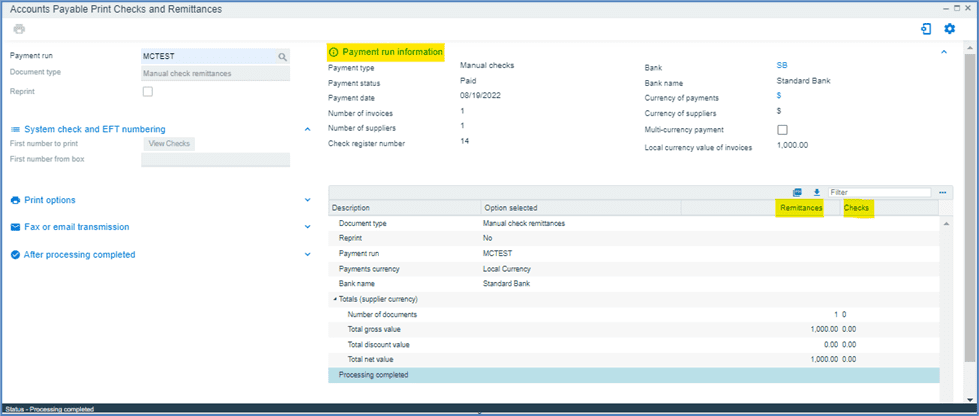
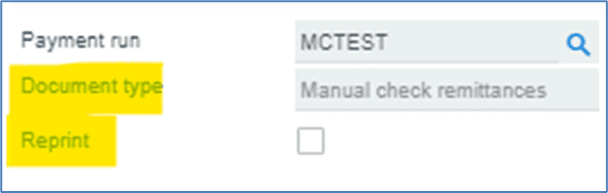
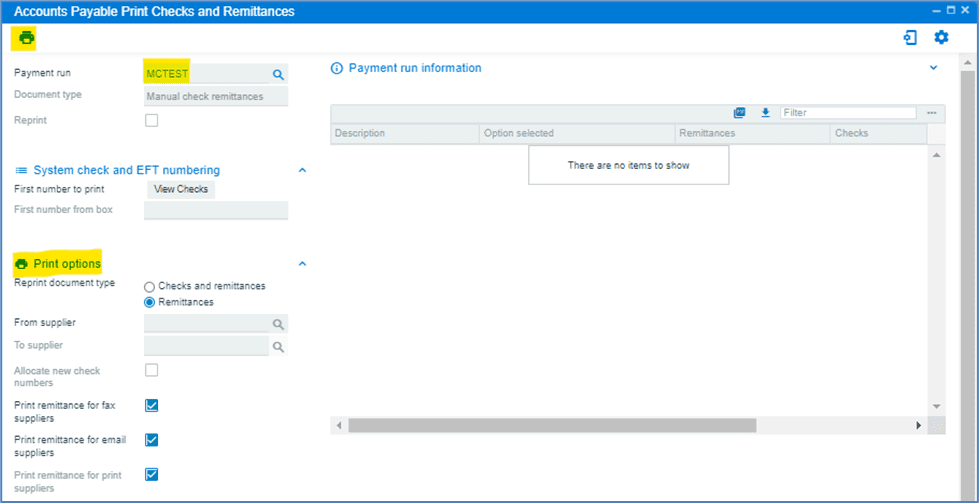
Enter the payment run reference or select it by clicking the magnifier and searching for it.


Document type is auto populated based on the payment run selected.
Reprint check box is auto-selected for payment runs with statuses C-Printed and L-Complete. Because the payment run selected here has status P-Paid, the reprint option is disabled.
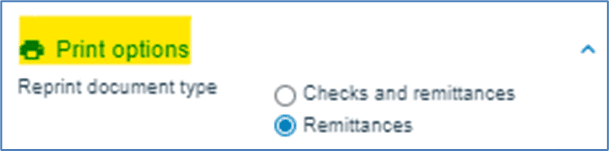
Print options are used to reprint checks and/or remittances.
This option lets you to print both checks and remittances, or just remittances.
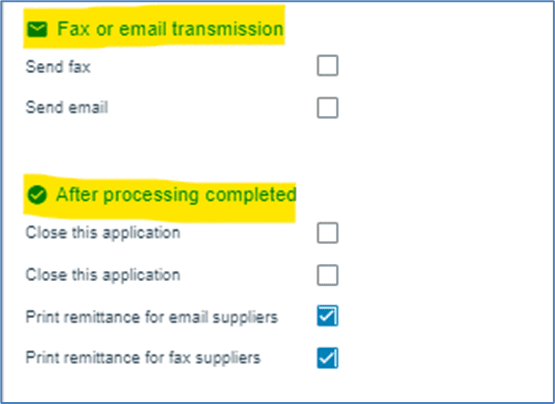
Fax or email transmission option is used to fax or email remittances to suppliers whose remittance transmission method is set to Fax.
Select both the Print remittance for Email suppliers and the Print remittance for Fax suppliers, if a printed remittance is required.
The remaining fields are either auto-filled or optional.
Click print.
The results of the payment run are shown below.