
Purpose
Use this procedure to increase or decrease the invoice balance for open invoice / debit memo.
Process Summarized
- Select Posted AP Invoice from search,
- Enter Adjustment amount and save.
AP Adjustment Entry
Menu Path
- Financial Management/Accounts Payable/General Operations/Adjustment
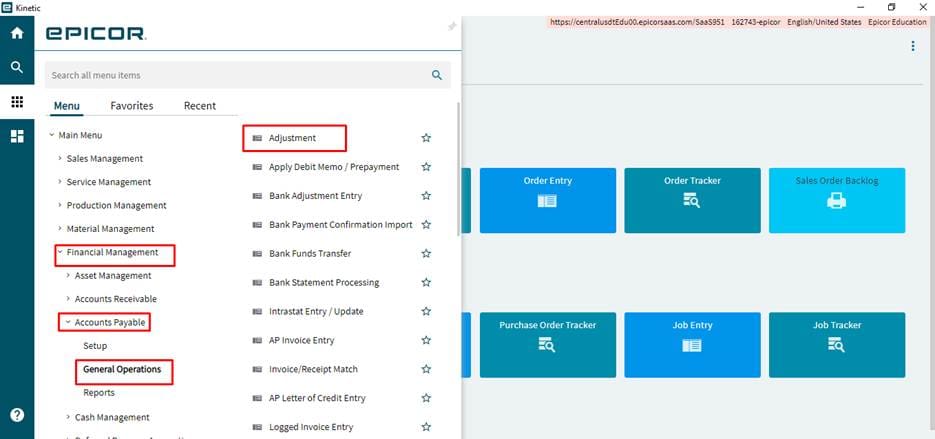
Making Adjustment
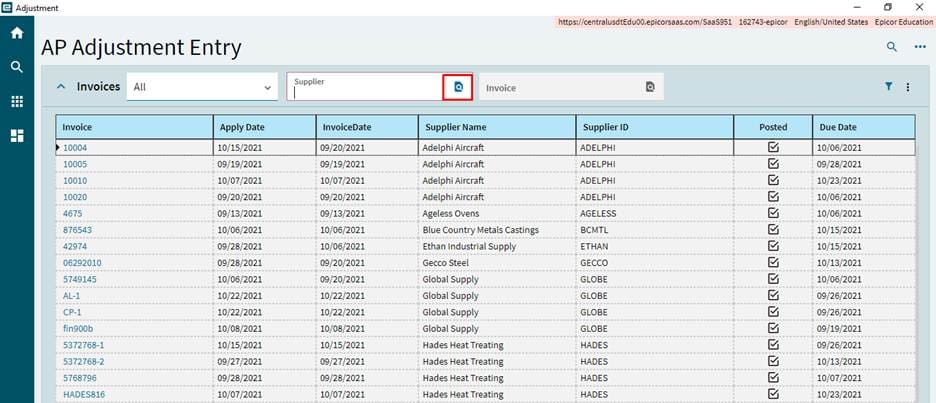
Select the search button in supplier field, search window will be displayed, select the supplier and click Ok button.
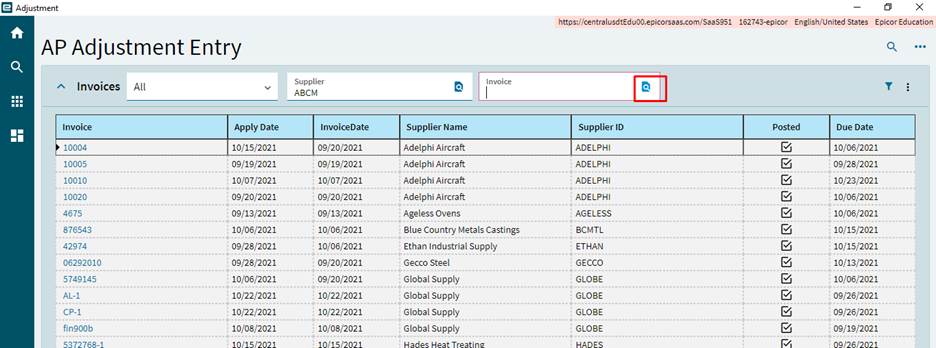
Select the search button from the Invoice field and search window will be displayed, click on search, select the Invoice and click Ok button.
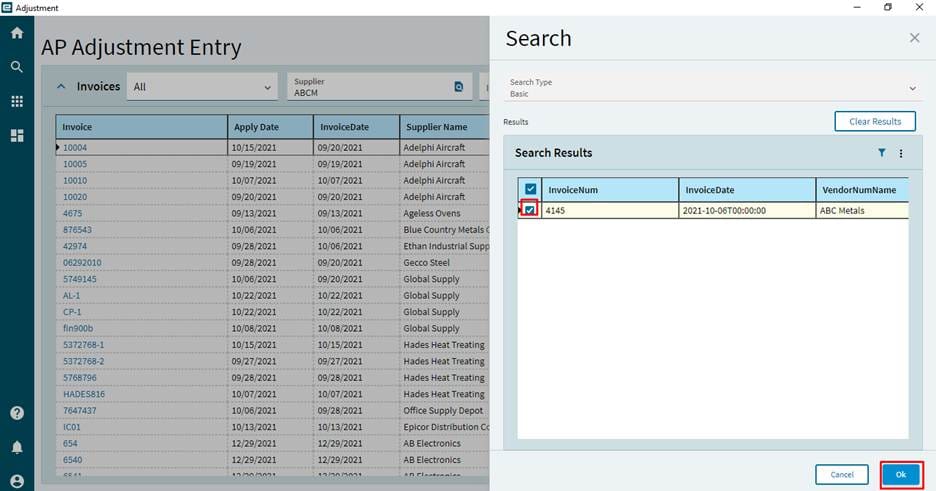
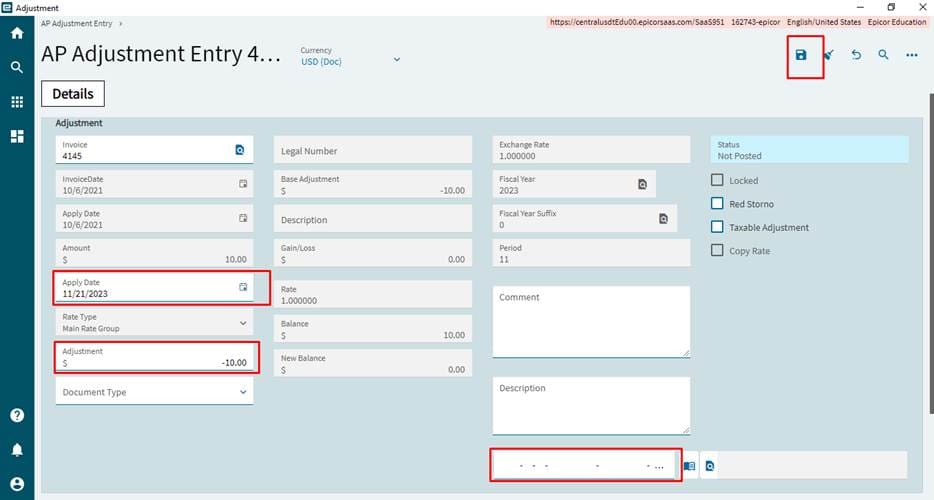
Steps
- Enter the Adjustment amount in the amount field field, to decrease the invoice balance enter the amount in negative values.
- Change the apply date which is posting date of adjustment transaction, by default it will be system date. Enter the reason.
- Enter the GL Account for the adjustment entry. AP Account will be taken from the Invoice other account to be entered in this field.
- Save the entry.