
Overview
This document will provide an overview of the AP Invoice Contra Program’s workflow. This application is used to accumulate and contra (credit balance supplier invoices against debit balance supplier invoices).
Process
AP invoice contra program is used to contra debit and credit invoices on a supplier’s account
If you select the “Contra Invoice by Branch” option in the account payable setup, you are limited to the contra debit and credit invoices within the same branch.
- Enter Supplier against whom the contra will be posted.
- Credit and debit invoices will be displayed.
- Select the invoices for debit and credit.
- Enter the contra amount and the reason for the adjustment.
- Post.
Pointers
Fields with a drop-down menu next to them indicate there is a valid list of values to choose from. You can either type in the value or use the Magnifying glass to find the correct value.

Click

to post the entry. Use the Tab key to advance to the next field.
AP Invoice Contra
The steps below will show how to process a contra entry against a supplier.
Menu Path:
Accounts Payable > Invoice Processing > AP Invoice Contra
Select or enter the supplier, then press the Tab key.

Credit and debit invoices against the selected supplier will be displayed.

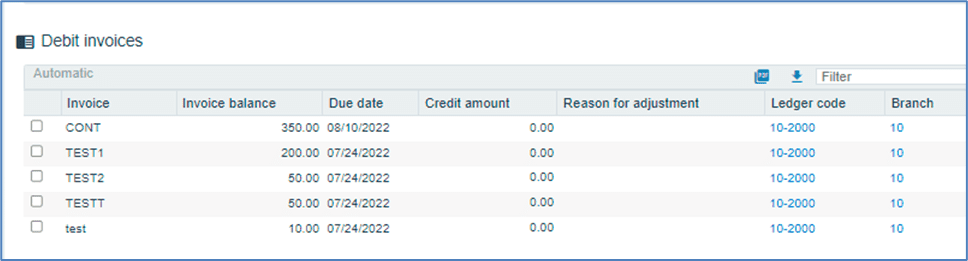
Select the credit and debit invoices to which contra will be posted. The totals are displayed within the same window.
- Total invoice value
- Amount entered to post contra
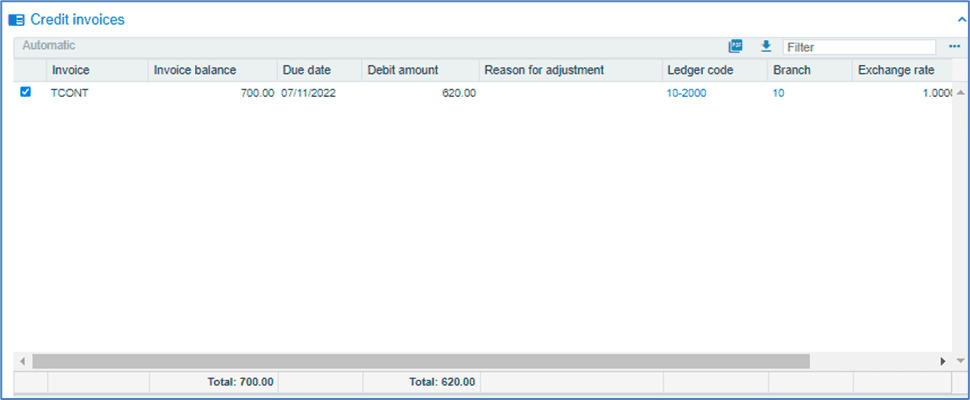
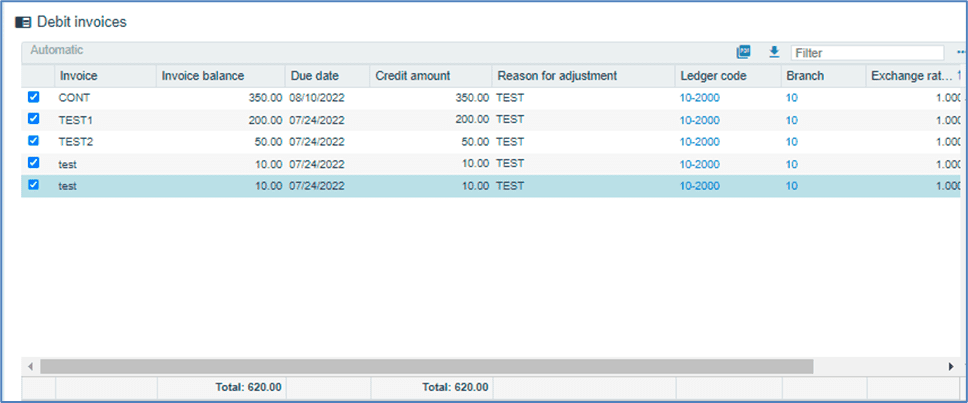
If the credit and debit totals match, the undistributed amount is reduced to zero, and the post button is enabled.
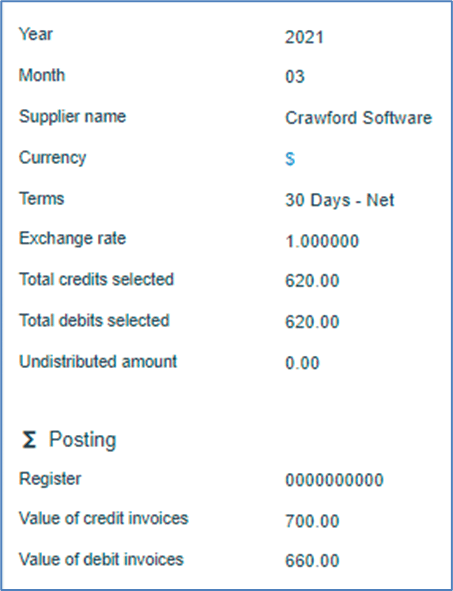
Click on

to post the contra.