
Purpose
Use this procedure to apply debit memo against the invoice balance.
Applying Debit Memos / Prepayments
Menu Path
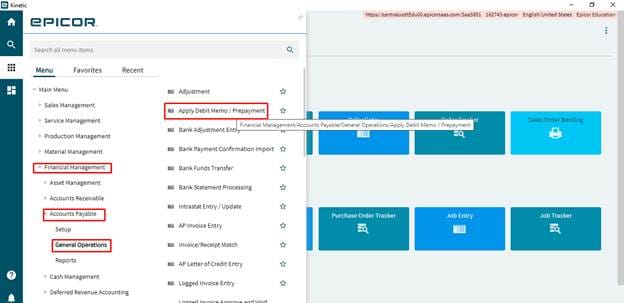
- Financial Management>Accounts Payable>General Operations>Apply Debit Memos/ Prepayment
Steps
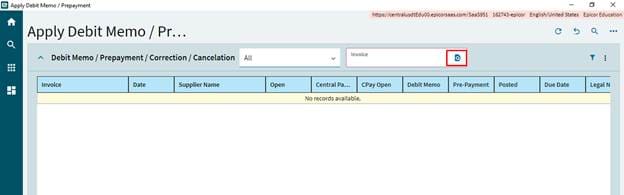
- Select the Invoice from the search,
- In the Detail, the enter total amount of the prepayment amount in the amount to Apply field.
- Select Transaction Apply Date.
- Click on save.
- Navigate to Applied Invoices and select New and select the invoice to apply.
- Enter the amount in the Balance field,
- Click on Save.
- Select Apply Debit Memo / Prepayment. This will reduce the balance of applied Invoice.