
Purpose
Use this procedure to update bank balance and enter bank fees or charges.
Bank Adjustment Entry
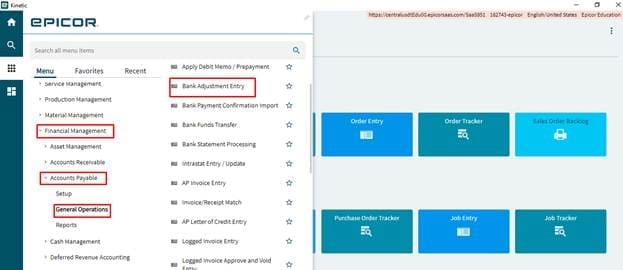
Menu Path
- Financial Management/Accounts Payable/General Operations/Bank Adjustment Entry
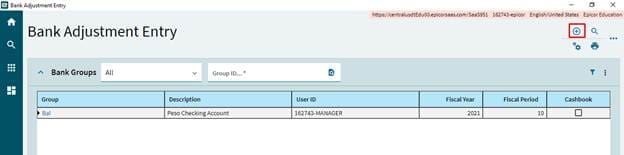
Creating Group
In the Group, click New to add a new group
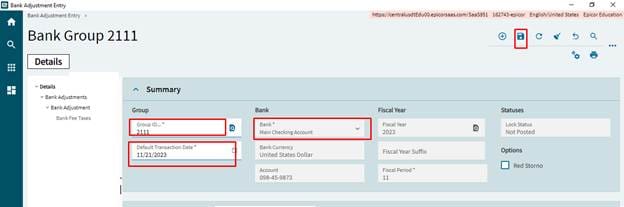
Enter the Group ID, select the posting date, select the Bank and click on save.
Entering Adjustment
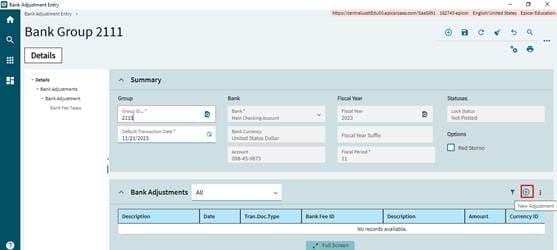
- Select new
to create new Adjustment
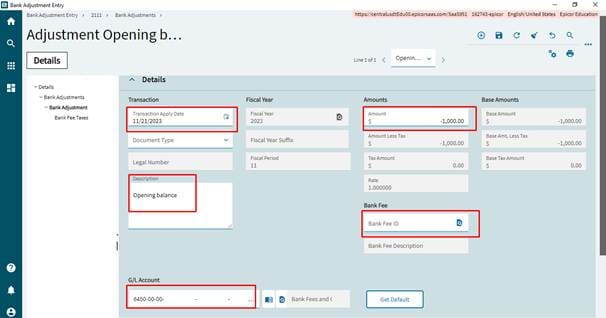
- Change the apply date which is posting date of adjustment transaction, by default it will be system date. Enter the Description.
- Enter the amount, it can be both positive and negative values.
- Select the Bank fee, it is optional.
- Click on save.
- Enter the GL Account for the adjustment entry. By default Bank fee GL Account will be available in this field. It can be changed by click on search button and select the account.
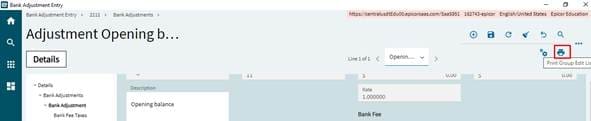
- Select the Print group edit list icon
to review the accounting entry before posting.
A new window will be displayed, click on preview to generate the report.
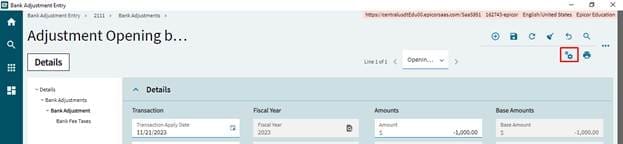
- Click on
to post the adjustment entry to GL.
Deleting Adjustment
To delete the adjustment entry click in the Overflow menu, select Delete adjustment before posting.