
Purpose
Use this procedure to delete posted payments.
Process Summarized
- Select Posted payment from search
- Change the apply date
- Click on Void.
Void Payment Entry
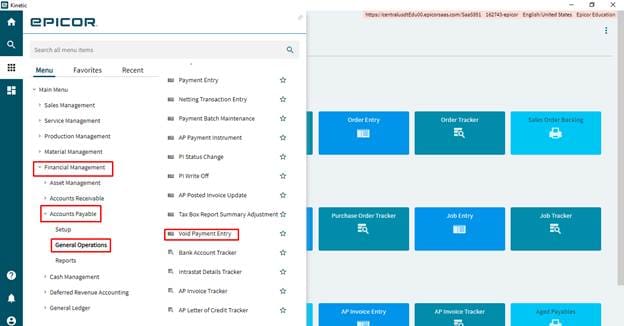
Menu Path
- Financial Management/Accounts Payable/General Operations/Void Payment Entry
Voiding Payment
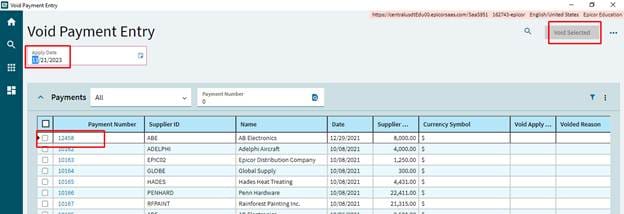
Steps
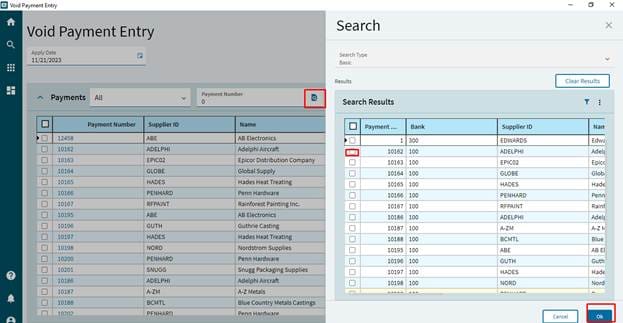
- Select
search button in Payment number field.
- Select the payment which is required to void from search window and click ok button.s
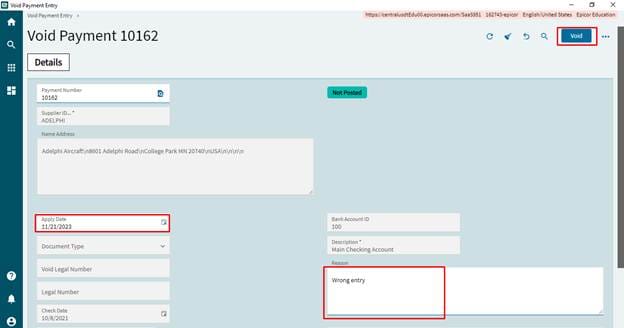
- Change the apply date which is posting date of reverse/ void transaction, If it is required to change the default date. Enter the reason.
- Click on Void, this process will create the reverse transaction in GL and the invoice will be open for payment again.