
Overview
This document will detail how to assign stock codes to warehouses and define warehouse information for each stock code. A Stock Code must be created and assigned to a warehouse before transactions can be processed against it.
Process Summary
Create a warehouse and enter the following information.
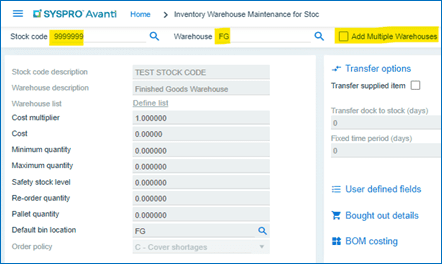
- Enter the stock code.
- Enter the warehouse code.
- Select Add Multiple Warehouses if stock needs to be applied to multiple warehouses. (Optional).
- Cost Multiplier (Optional) Default ‘1’.
Inventory Warehouse Maintenance for Stock Code
Menu Path
Inventory > Setup > Inventory Warehouse Maintenance for Stock Code
Follow these steps to assign a stock code to one or more warehouses.
- Enter the stock code.
- Enter the warehouse code.
- Select Add Multiple Warehouses to apply the stock code to multiple warehouses.

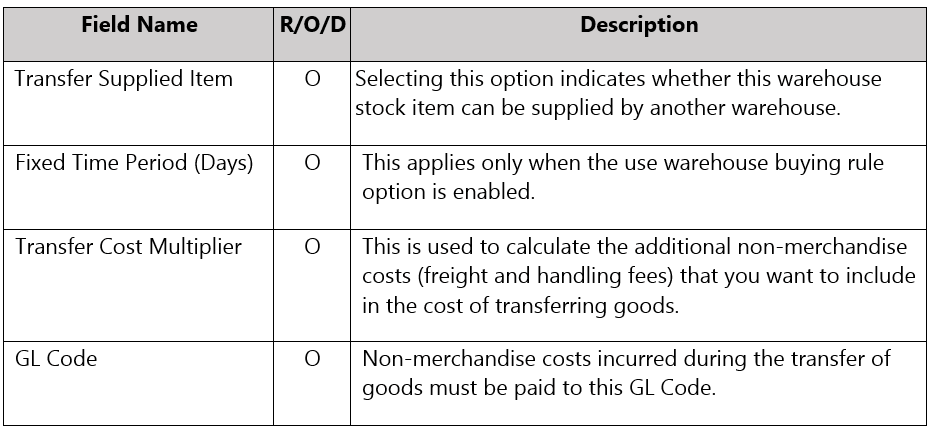

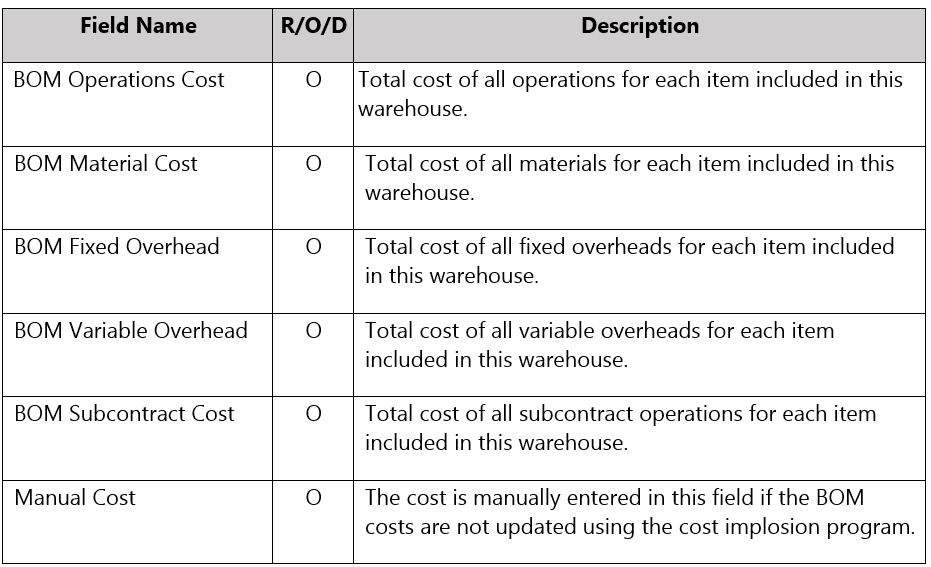

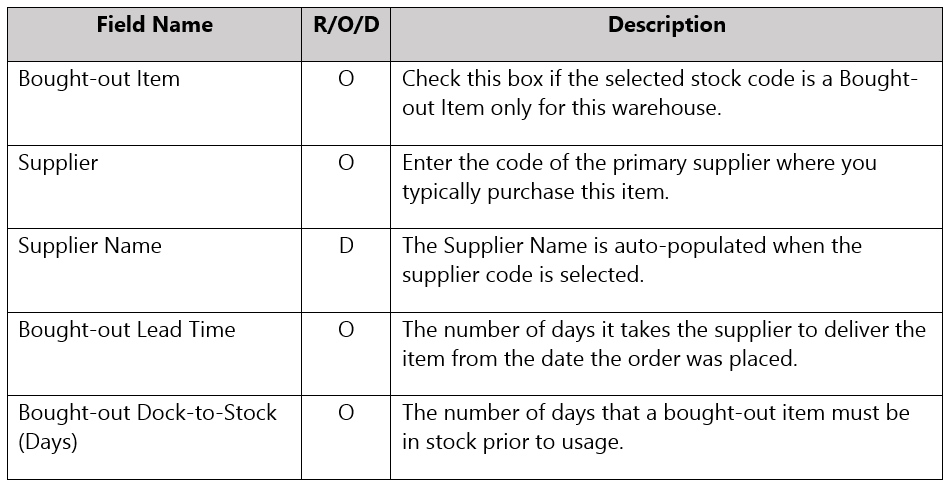
Click on
 to Save