Overview
This document will review the process of posting Multiple and Manual Normal Journals to the general ledger.
Process
All unposted journals must be posted by the end of each month. The GL Post Multiple Normal Journals program eliminates the need to choose each journal individually by allowing all unposted journals to be posted. Installing the General Ledger module will be required.
GL Post Multiple Normal Journal
Menu Path:
General Ledger >Transaction Processing > GL Post Multiple Normal Journals
Journals are selected for posting if:
- They are unposted
- They are not for a future ledger period
- They are not on hold
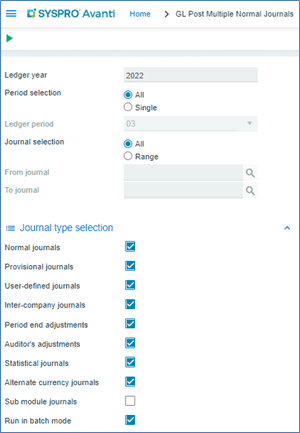
Multiple regular journals can be posted to the general ledger using the GL Post Multiple Journal. Fields with a pull-down menu next to them indicate you can choose from a valid list of values. If you already know the value, you can type it in or click Magnifier to choose the right value.

Use the “tab” button to move to the next field.
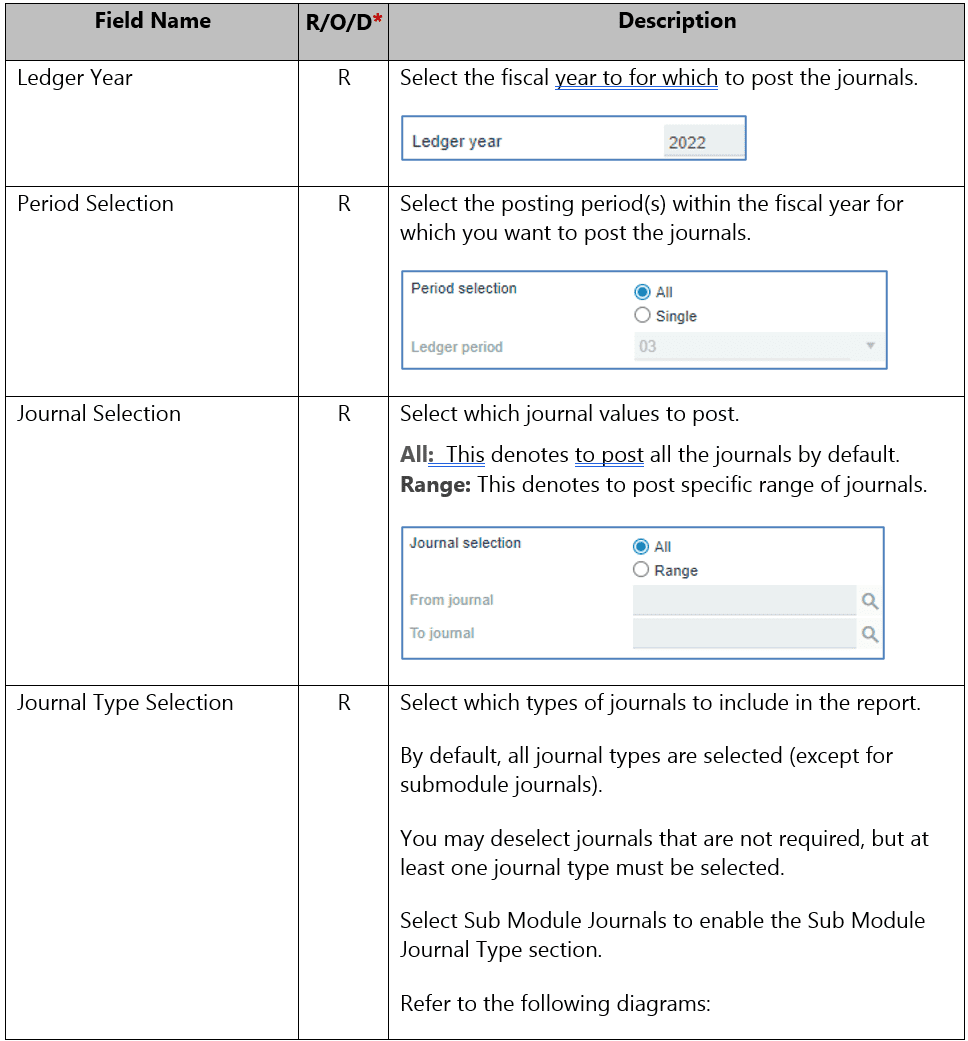
Post Multiple Normal GL Journal details include:
- Ledger Year
- Posting Period
- Journal
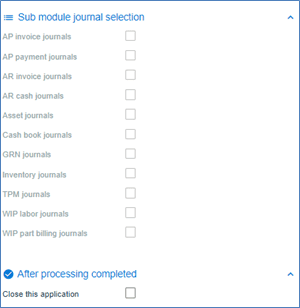
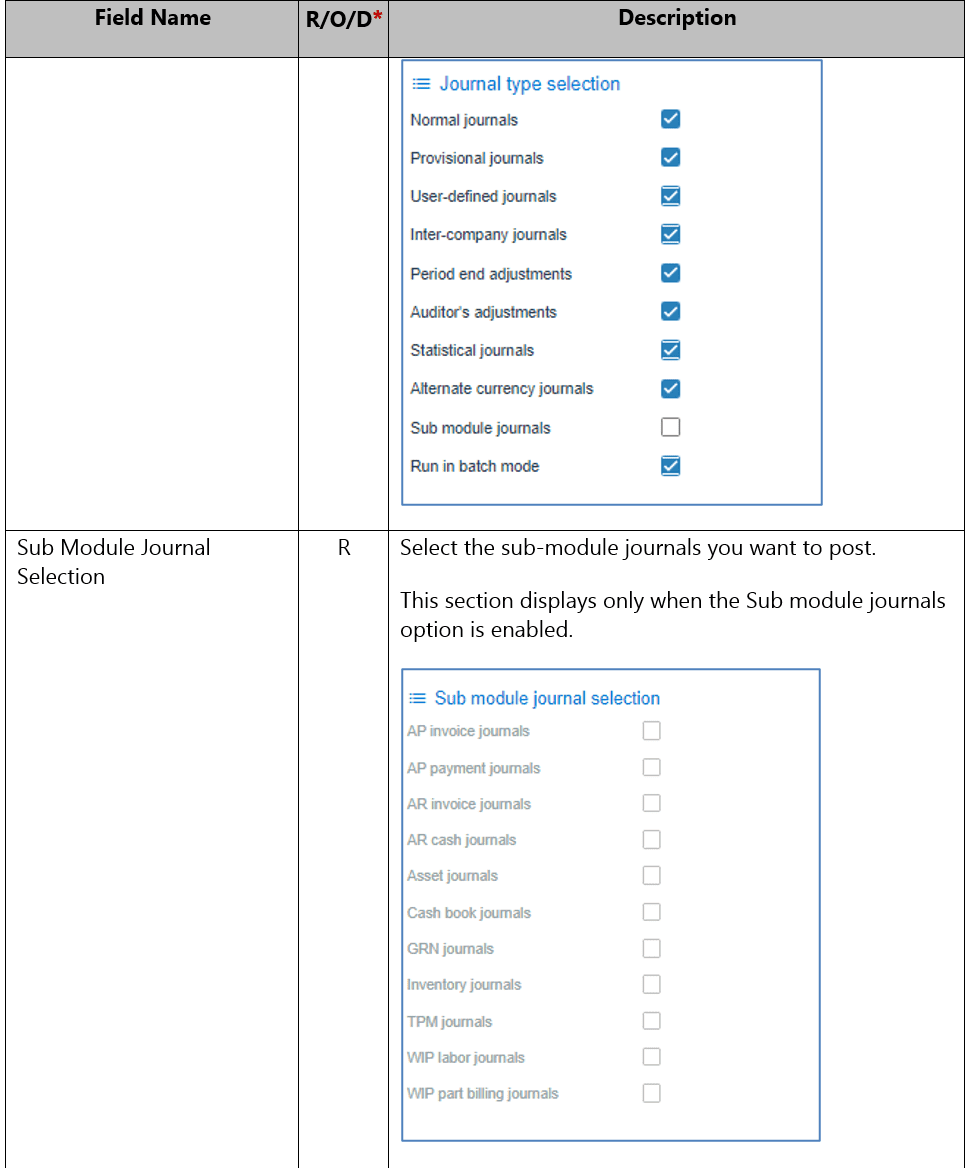
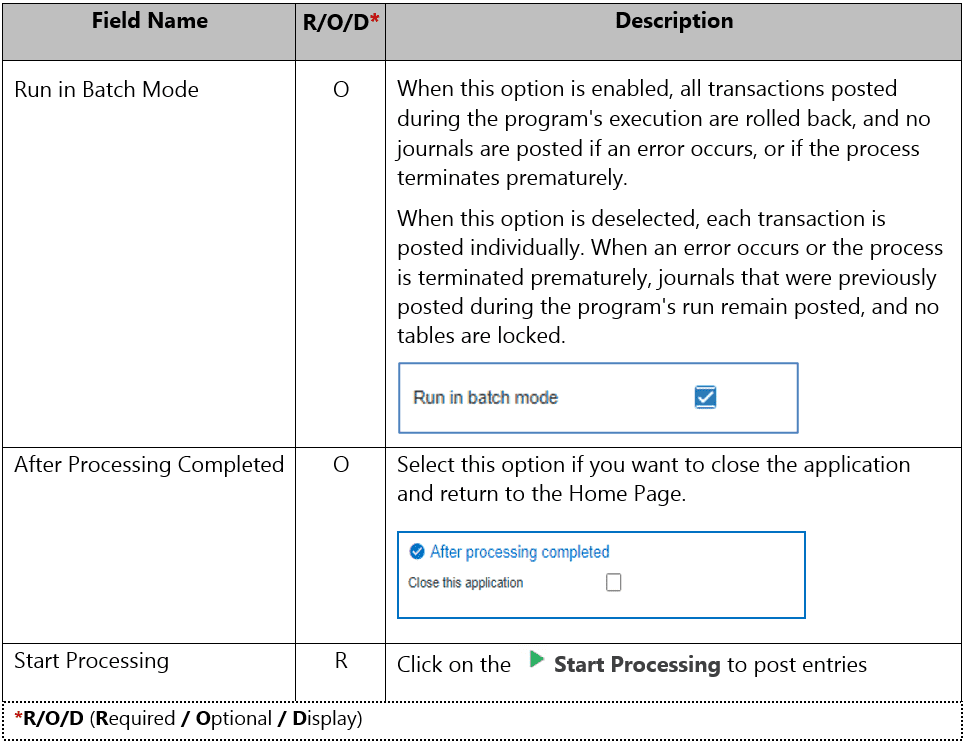
GL Post Multiple Normal Journal Screens: